MapKit (17)
체크인한 profile을 count하는 함수 만들기
이전글에서 우리는 하드코딩으로 숫자를 99로 적어놨던걸 알 수 있다.
이젠 체크인을 한 사람들이 몇명인지를 카운트해주는 함수를 만들어서 하드코딩 했던 부분의 기능을 구현하려고 한다.
우선 CloundKitManager에서 getCheckedInProfilesDictionary의 내용을 그대로 복사해서 붙여넣어주고 getCheckedInProfilesCount로 바꿔준다.
1
2
3
4
5
6
7
8
9
10
11
12
13
14
15
16
17
18
19
20
21
22
23
24
25
26
27
28
func getCheckedInProfilesCount(completed: @escaping (Result<[CKRecord.ID: Int], Error>) -> Void) {
    let predicate = NSPredicate(format: "isCheckedInNilCheck == 1")
    let query = CKQuery(recordType: RecordType.profile, predicate: predicate)
    let operation = CKQueryOperation(query: query)
    operation.desiredKeys = [DDGProfile.kIsCheckedIn]

    var checkedInProfiles: [CKRecord.ID: Int] = [:]

    operation.recordFetchedBlock = { record in
        guard let locationReference = record[DDGProfile.kIsCheckedIn] as? CKRecord.Reference else { return }

        if let count = checkedInProfiles[locationReference.recordID] {
            checkedInProfiles[locationReference.recordID] = count + 1
        } else {
            checkedInProfiles[locationReference.recordID] = 1
        }
    }

    operation.queryCompletionBlock = { cursor, error in
        guard error == nil else {
            completed(.failure(error!))
            return
        }
        completed(.success(checkedInProfiles))
    }

    CKContainer.default().publicCloudDatabase.add(operation)
}
위에는 사실 똑같긴 하지만 그래도 전체적인 코드가 들어가면 좋을듯 해서 올려본다.
그리고 왜 리턴을 하는게 [[record.id]: Int] 인지도 생각을 해봐햐 하는게
여기서 쓰이는 record.id는 바로 장소의 레퍼런스 id를 말하는것이다. 이걸 포커스로 하고 코드의 전개를 알면 이해가 쉬워진다.
그리고 위의 과정은 같지만 여기선 desiredKeys를 사용했다. 굳이 카운트를 함에 있어 모든 데이터를 가져올 필요는 없기 때문이다.
또 하나 이번엔 옵셔널 바인딩도 해주었다.
1
2
3
4
5
if let count = checkedInProfiles[locationReference.recordID] {
    checkedInProfiles[locationReference.recordID] = count + 1
} else {
    checkedInProfiles[locationReference.recordID] = 1
}
근데 강의에서는 checkedInProfiles[locationReference.recordID] = count + 1 이렇게 표현하긴 했는데 사실
checkedInProfiles[locationReference.recordID] += 1 로 하는게 내생각에선 더 좋지않나? 라고 생각을 해본다.
그리고 초기값이 0이어야 하는거 아니야? 라고 의문이 생길수도 있는데
checkedInProfiles[locationReference.recordID] = 1은 해당 키(장소 ID)가 딕셔너리에 처음 추가될 때 실행되는 구문이다.
딕셔너리에 해당 장소가 없다면, 현재 처리 중인 레코드가 그 장소의 첫 번째 체크인 데이터라는 뜻이다. 따라서 초기값을 0이 아닌 1로 설정하여 첫 번째 인원을 카운트에 포함시킨다.
함수 적용하기
LocationMapVM에 가서 함수를 하나 만들어 준다.
1
2
3
4
5
6
7
8
9
10
11
12
13
14
15
16
17
import CloudKit

@Published var checkedInProfiles: [CKRecord.ID: Int] = [:]

func getCheckedInCounts() {
    CloudKitManager.shared.getCheckedInProfilesCount { result in
        DispatchQueue.main.async {
            switch result {
                case .success(let checkedInProfiles):
                    self.checkedInProfiles = checkedInProfiles
                case .failure(_):
                    // show alert
                break
            }
        }
    }
}
그리고 view에도 적용을 해주자
1
2
3
4
.onAppear {
    // 생략
    viewModel.getCheckedInCounts()
}
그리고 Annotation에도 하드코딩했던 부분을 수정해준다.
1
2
3
4
5
6
7
// DDGAnnotation
var number: Int

Text("\(min(number, 99))")

// LocationMapView
DDGAnnotation(location: location, number: viewModel.checkedInProfiles[location.id, default: 0])
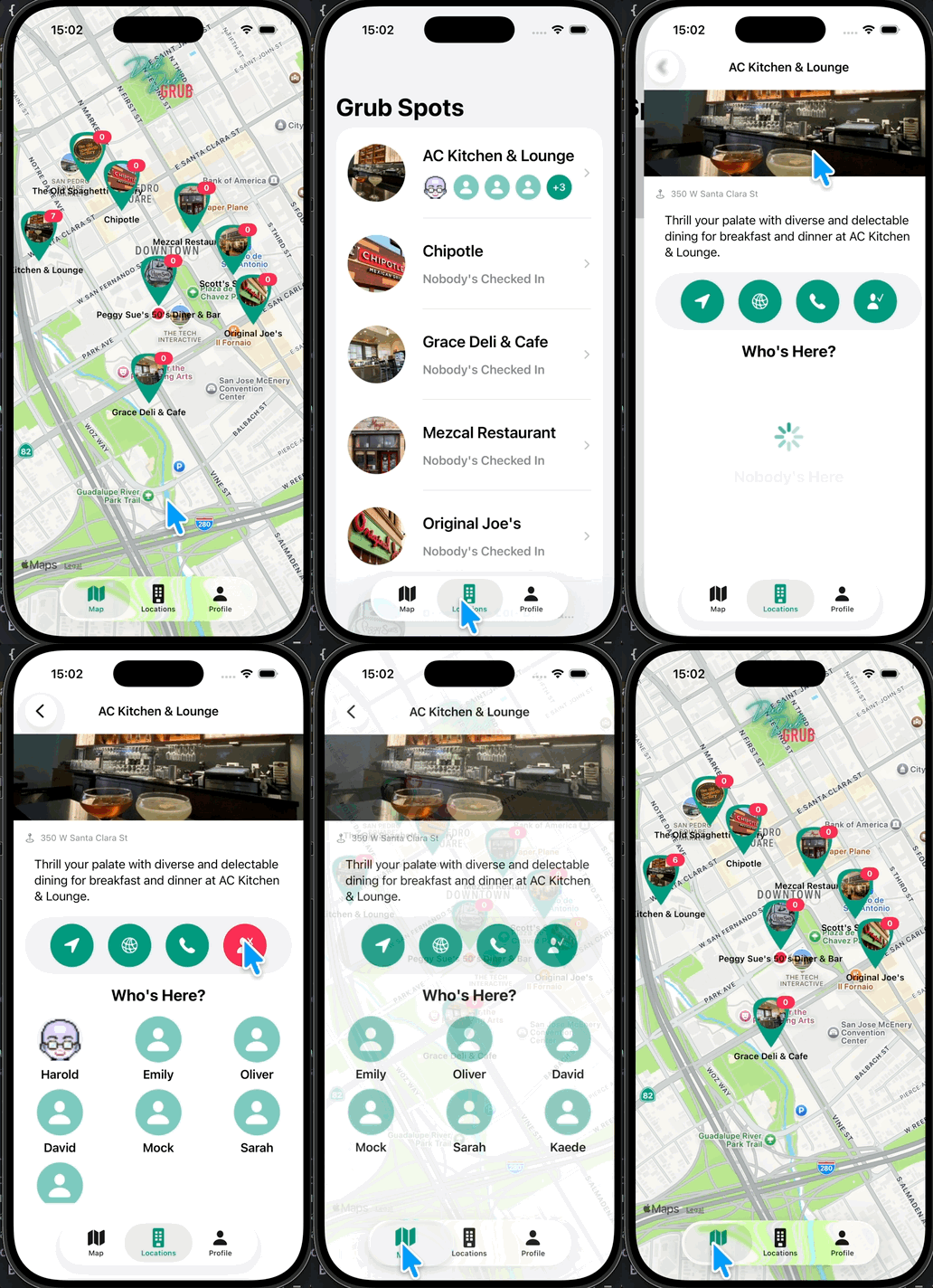
실행해보면 이렇게 나오는걸 알 수 있다.
다만
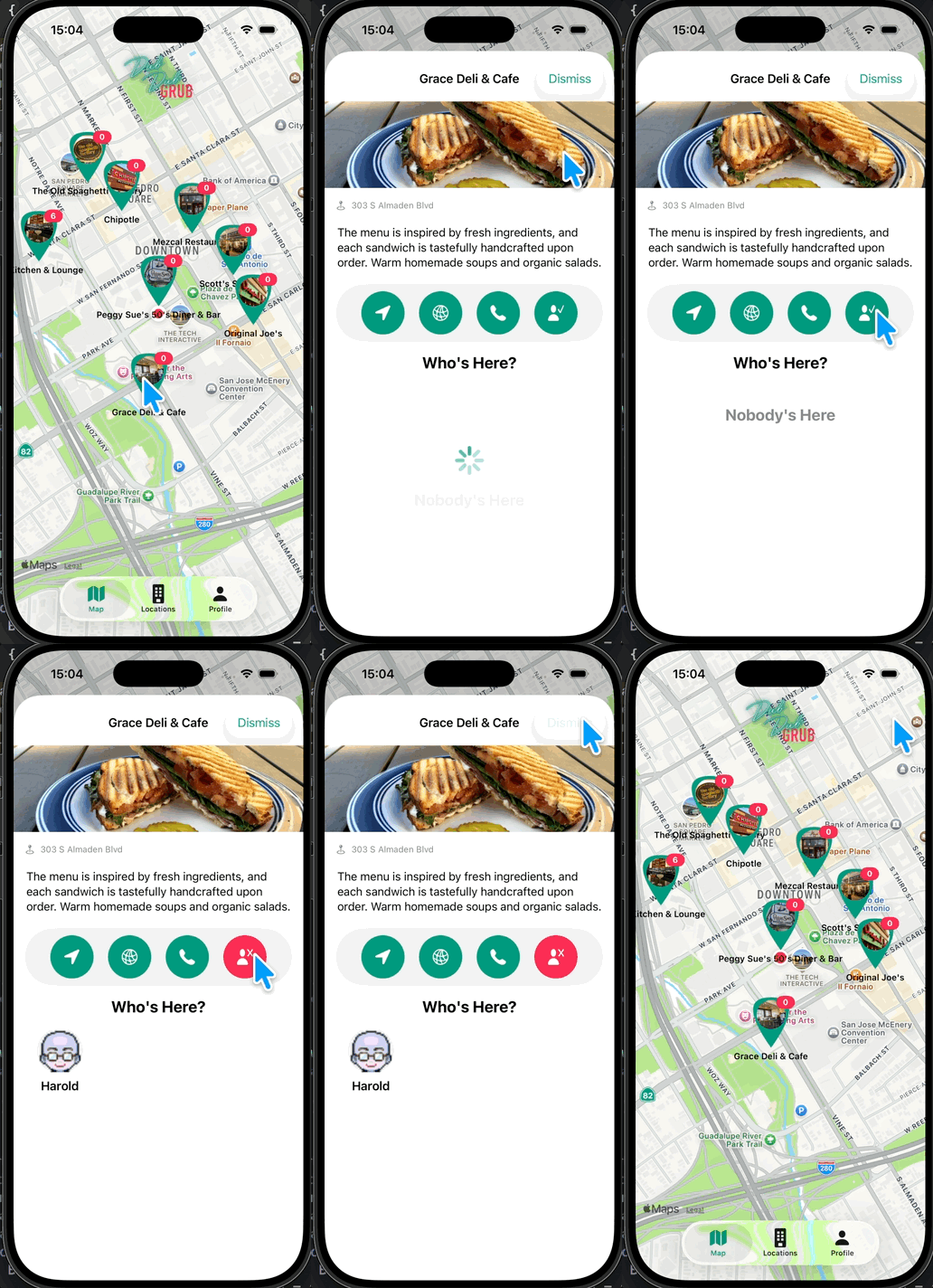
이렇게 onTapGesture를 사용해서 체크인을 하는경우엔 아무래도 LocationMapView가 새롭게 렌더링이 되지않기에 업데이트가 안되는걸 알 수 있다. (이후에 할 예정)
그리고 굳이 0이라는 숫자는 보여질 필요가 없기때문에,
1
2
3
4
5
6
7
8
9
if number > 0 {
    Text("\(min(number, 99))")
        .font(.system(size: 11, weight: .bold))
        .frame(width: 26, height: 18)
        .background(Color.grubRed)
        .foregroundColor(.white)
        .clipShape(Capsule())
        .offset(x: 20, y: -28)
}
이렇게 if로 감싸주었다
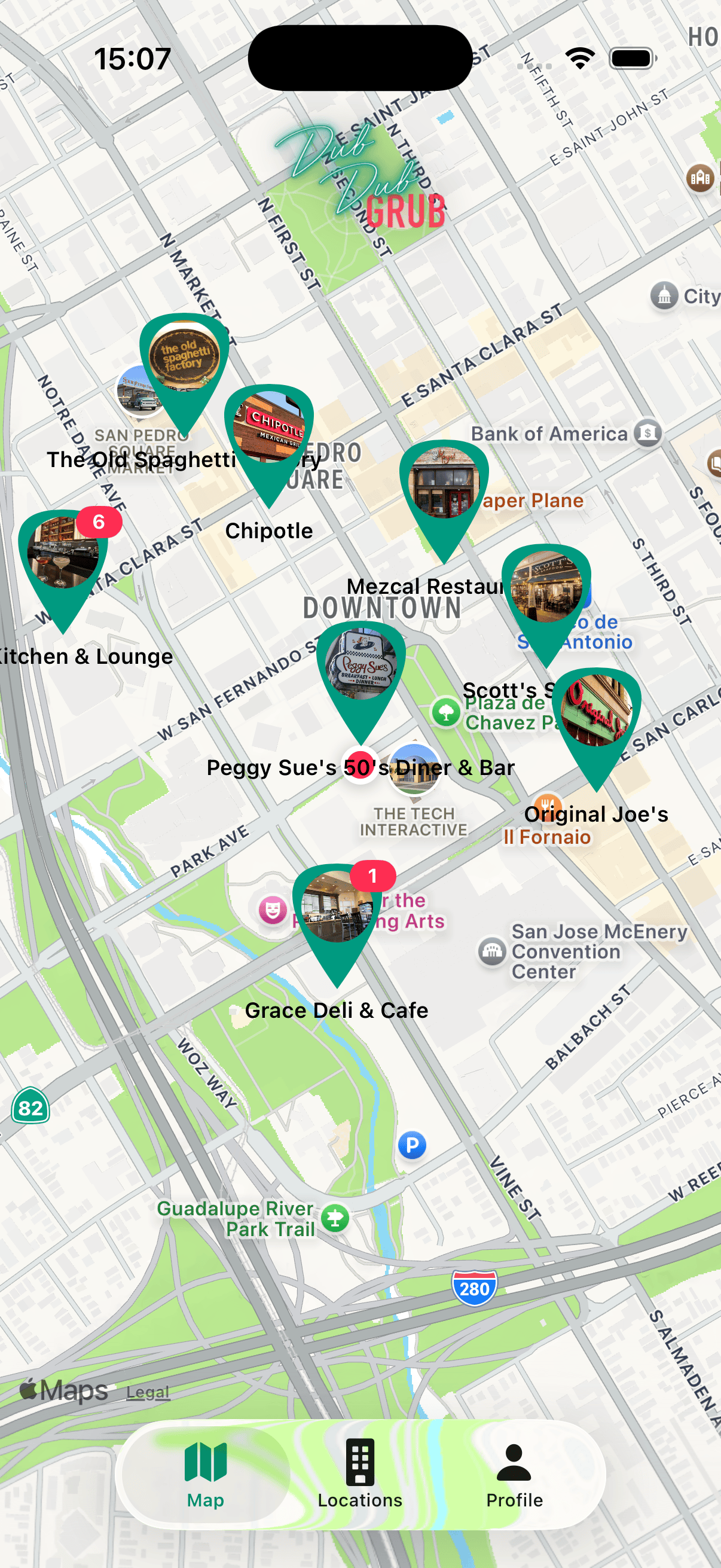
이렇게 이젠 0이 안보이는걸 알 수 있다.
Github: Dub-Dub-Grub Repository